



Product description

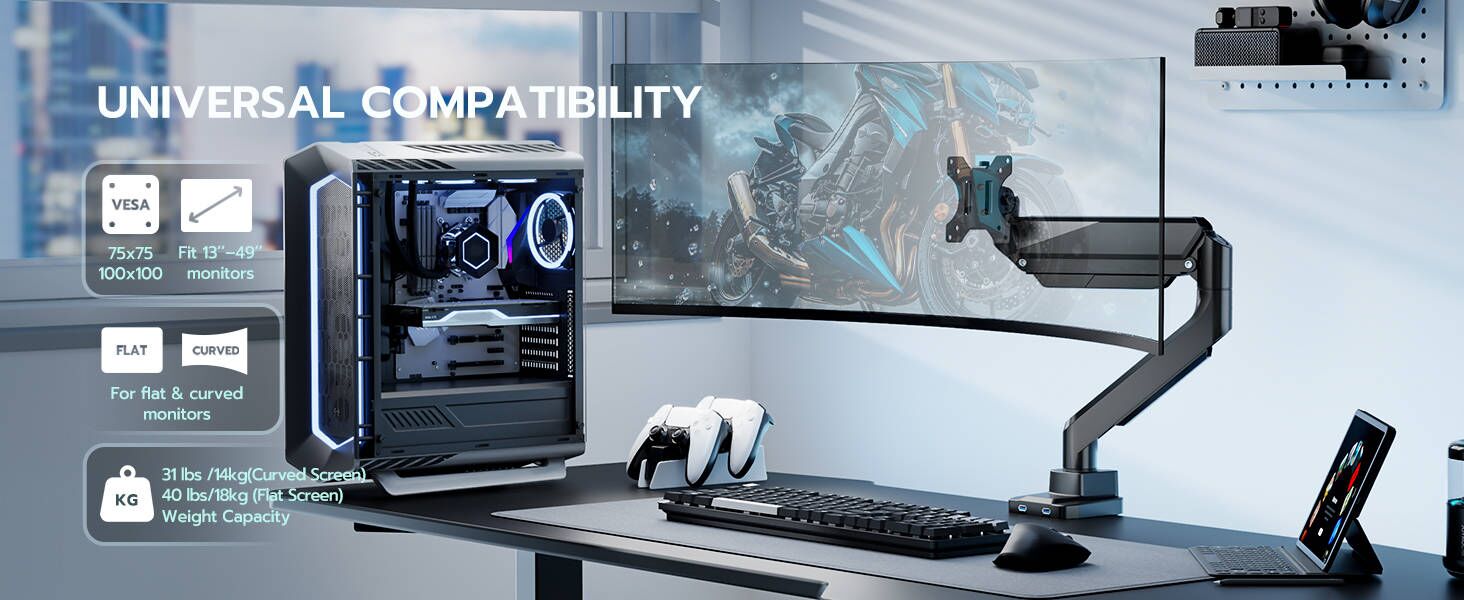


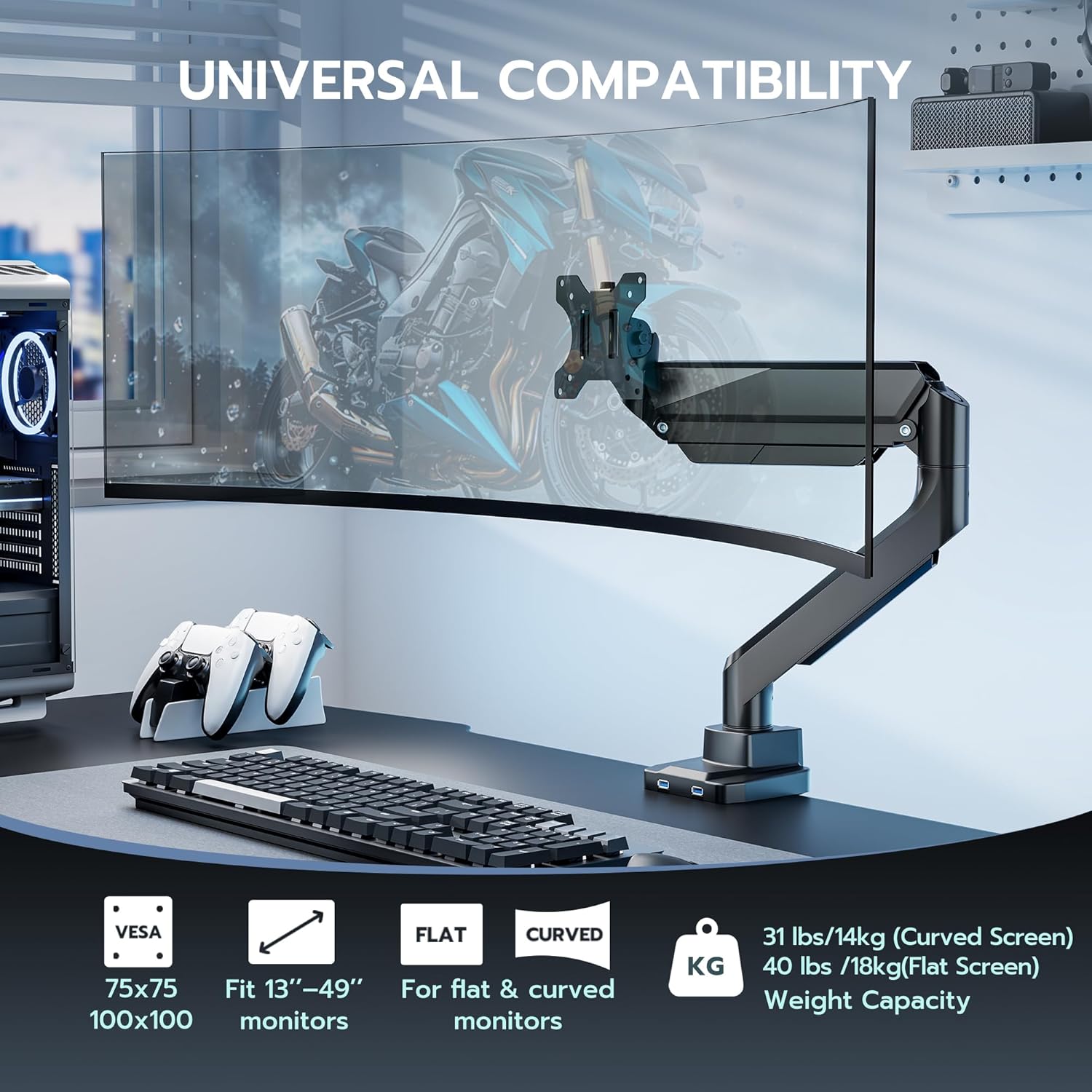
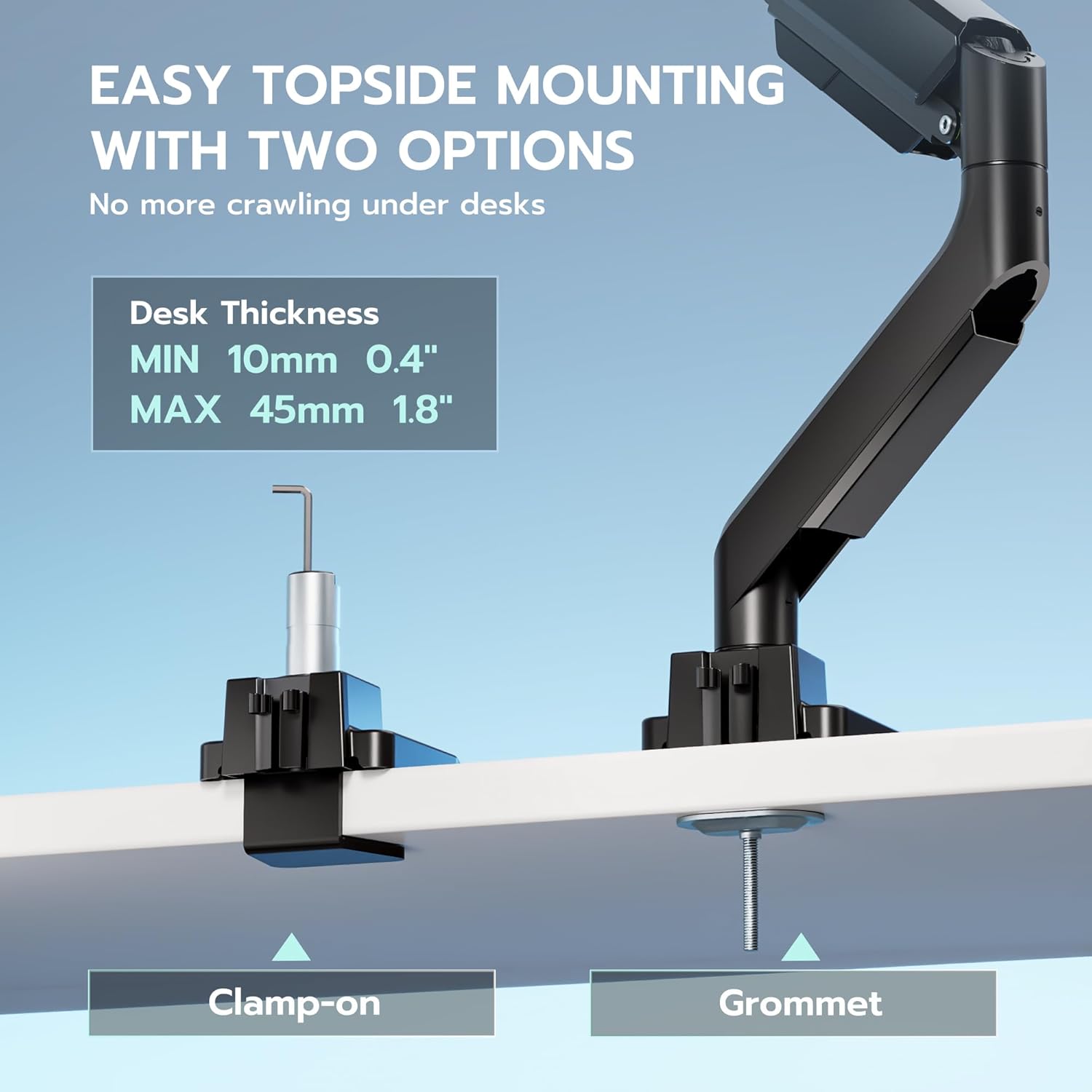
Versatile Installation for Every Workspace – Fits 13″-49″ screens and supports up to 40 lbs (18 kg) per monitor or 31 lbs (14 kg) for curved ones. Fully VESA compatible (75×75, 100×100), it offers clamp or grommet installation for desktops 10–45 mm thick. Compatible with Samsung G9 (new version only)
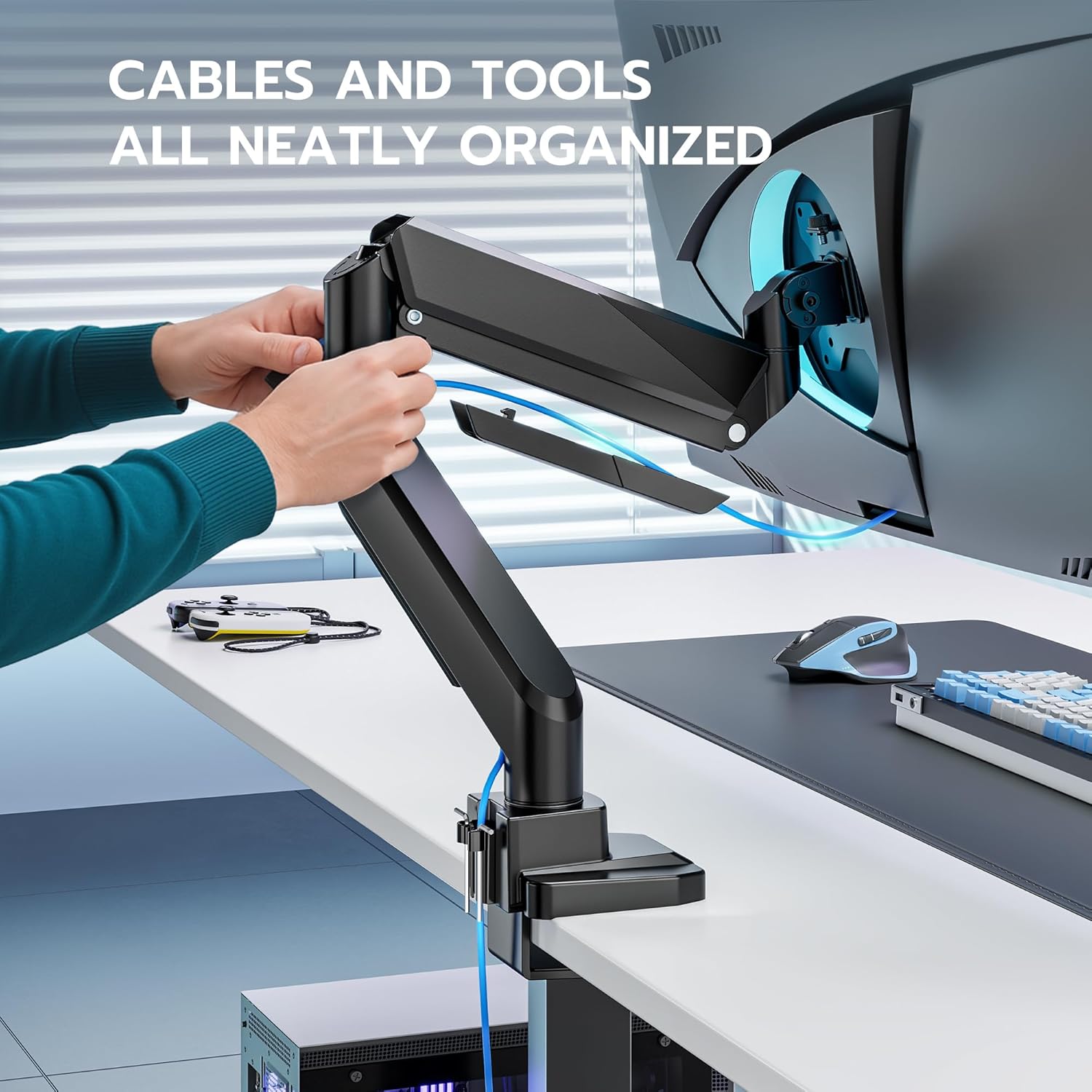
Save Space & Stay Organized – If you don’t want to sacrifice valuable desk space for your monitor, a high-quality monitor arm is the perfect solution. It lifts your screen off the desktop to a comfortable eye level, improving posture and reducing strain. Plus, by freeing up space and managing cables neatly, it helps create a cleaner, more organized workspace that meets both your ergonomic and aesthetic needs
Dual USB-A Ports – This single monitor arm is equipped with two upgraded USB-A ports (5V/2A), allowing you to conveniently charge multiple devices such as your phone, tablet, headphones, or smartwatch — all within easy reach at your desk
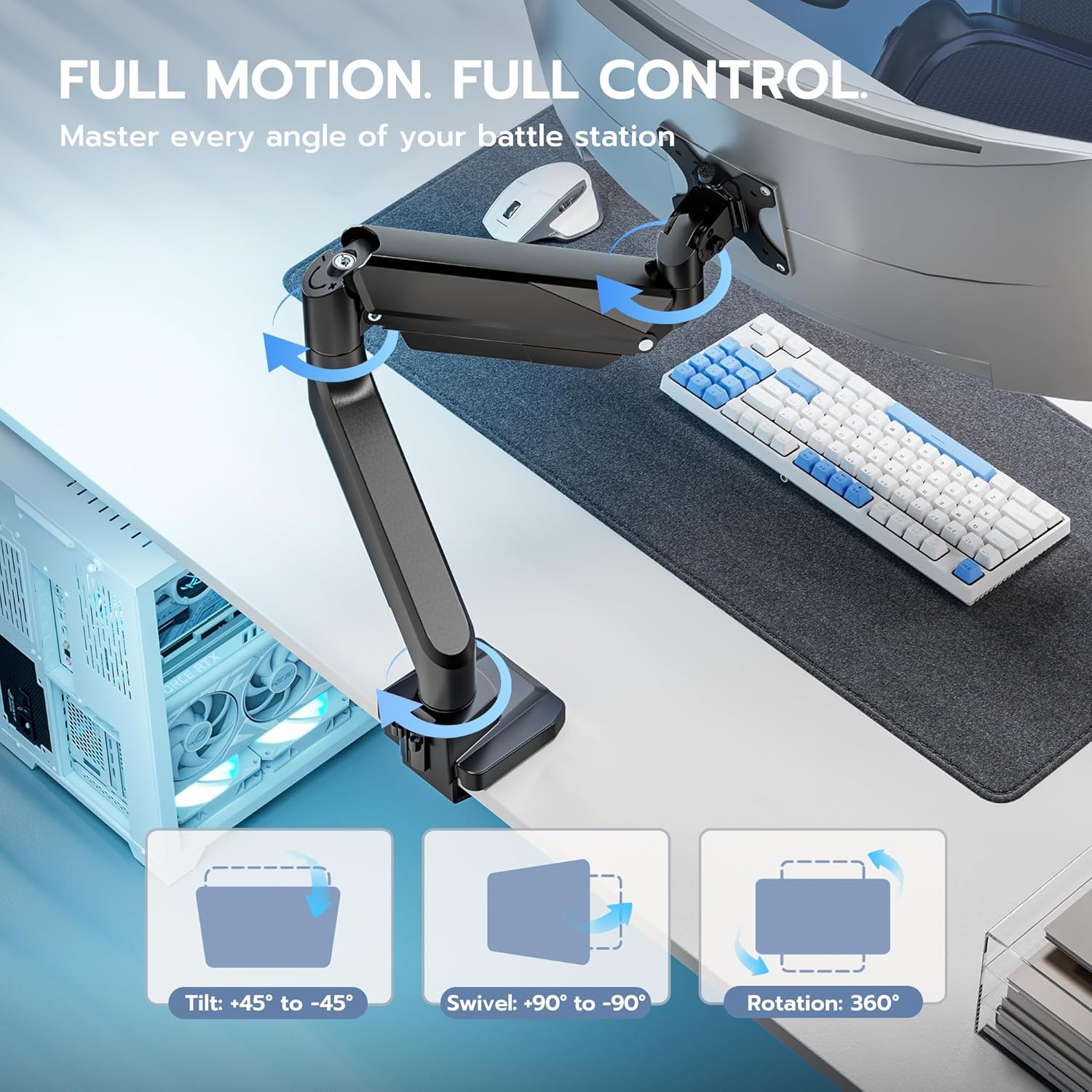
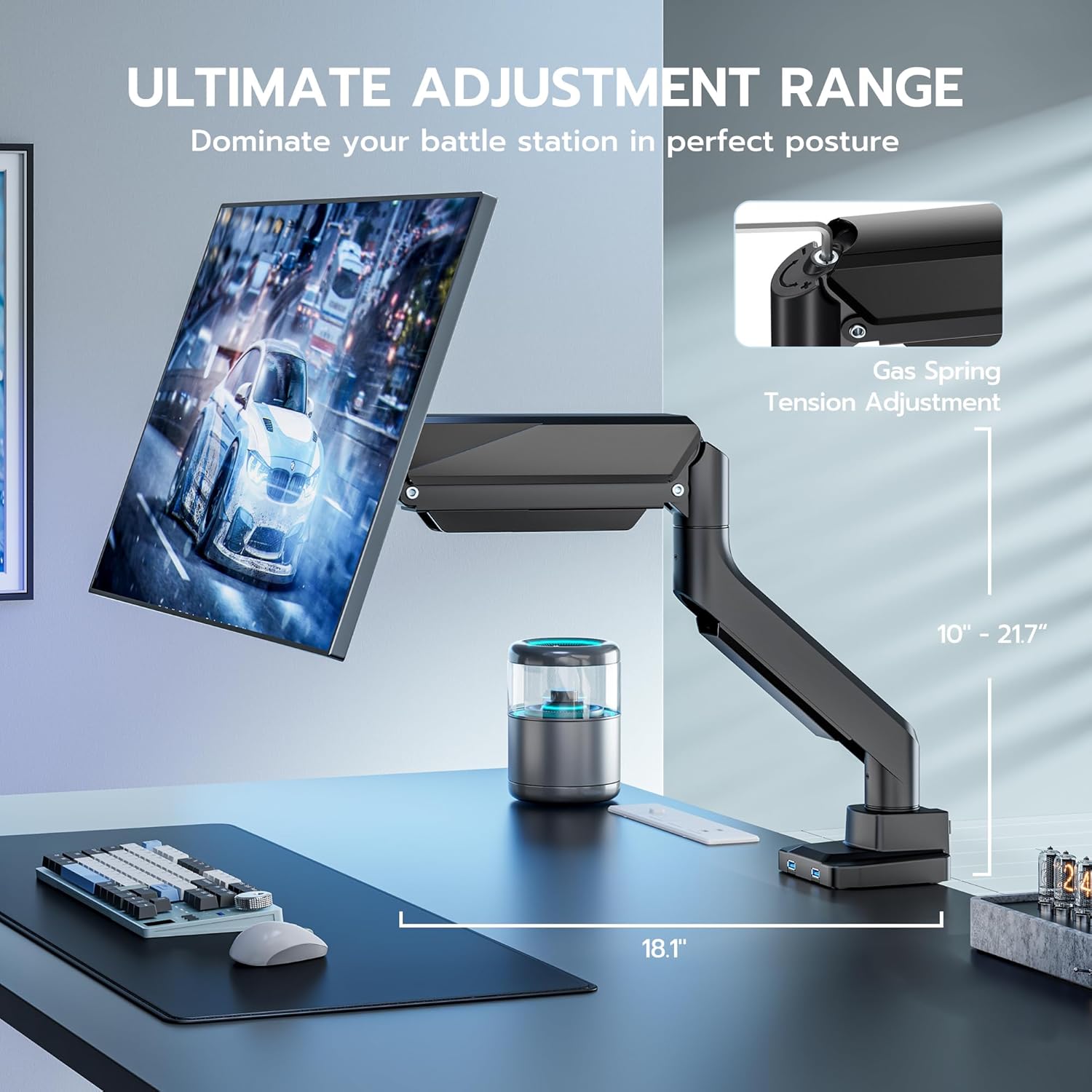
Effortless Comfort, Built to Last – The ARES WING monitor arm is equipped with a built-in gas spring system that delivers smooth, controlled adjustments based on your monitor’s weight. Whether you’re fine-tuning the viewing angle or transitioning between tasks, the arm moves with consistent stability and precision—no sudden shifts or resistance. Designed for long-lasting durability and safety, it ensures a secure hold and a more comfortable, ergonomic experience every time you use it
Installed in 3 Simple Steps – Quick setup with all hardware included. 1.Mount the arm using the C-clamp or grommet base. 2.Attach your monitor to the VESA plate (use an adapter if needed). 3.Adjust tension with the “+” or “–” screw until the arm holds your monitor in the desired position


V –
Great mount for Secretlab MAGNUS Pro XL
Bought 3 of these for my Secretlab MAGNUS Pro XL and they fit perfectly. Build quality is great and assembly/installation was very easy.
Josh Jacobs –
Great monitor arm for any VESA compatible monitor
High-quality materials and easy set up the channels for management being integrated in the arm are amazing
Mel&I –
Solidly built Monitor Arm – Great choice for space savings!
One really nice monitor arm!It helped me regain some much needed desktop space on my roller, mobile PC desk which I’m reworking/upgrading (It’s getting pretty old these days + being a bit small) that the monitor & O.E stand I’m using for the rig setup were making things “Just a wee snug” on its desk top…With this monitor arm, that is no longer so much of an issue! (Yay! 😊)Lots of upsides with this monitor arm:1: The overall build quality of this arm is very, very good, bordering on excellent. I have not noticed one iota of looseness in its fit and function for the job it does, especially at its multiple swiveling joints, plus it is rather quiet in operation (push, pull, lift, drop, extend, and retract = smooth and linear, with no squeaks, binding, pops, rattles, etc.) and that’s with virtually zero adjustments straight out of the box. I only adjusted the gas-charged shock part of the arm enough to get it to work well to my monitor’s rather light weight without it having its O.E. base attached anymore. The monitor arm will support larger, and far weightier monitors than what I’m currently using with it, especially judging by how much resistance force I had to dial out of the arm to get it to be not quite so strong for my monitor. = “Boss” weight win for you folks with heftier and larger screens! Let me toss in some additional praise concerning the finish by the way – Yes, it’s also pretty top-notch.2. The larger arm base and your option to install or not, built-in the base USB 3.0 (blue) ports.One of the things that actually drew me to take this monitor arm up for review, is its larger (at least to this reviewer) base, clamping options, and the USB 3.0 (blue) ports that use cables with USB-A type connectors at either end = easy to use + backwards compatibility, in any USB-A port should you not have USB 3.0 ports available to use. You can also choose not to use these ports, as the arm unit’s base comes with these ports actually blocked with tidy, molded-in port blanks that you will have to remove to install the USB ports (they’re extension cables that clamp into the base with a locking collar) so if you don’t need, or want them installed, just keep those tidy port blanks in place. Myself, these ports and their ability to bring my motherboard’s I/O panel USB 3.0 ports “upstairs” to desktop level = Yes indeed, they are installed! 😎The base also has 2x clamping methods, an edge-clamp (which I’m currently using) and a “grommet”, drill-through your mounting surface to clamp (fully intended to be used shortly) method as well. The edge-clamp has excellent (and well padded) clamping force, and there’s zero doubt with me that the “grommet” method will be any less-excellent in its clamping and weight-bearing power, which also has the benefit of reducing the arm’s overhang (if you need it) vs edge-clamping it. This will definitely be the way for me on my desk’s top shortly, as it will be tucked into mostly small sqft. places frequently, and the edge clamp method does make it a bit difficult to get it really snug up against a wall currently. I’m not taking anything away on the review for that as it’s a (minor) drawback of the edge clamp method, and there’s not too much you can do to mitigate it when you have a tight place to use it in. Besides, there’s plenty of you folks who probably have the space available to offset this really minor drawback, so it isn’t even likely to be an issue either if you have that extra space…3. Super easy assembly! I had this monitor arm assembled and fully functional inside of 30mins.The arm comes with all the tools necessary to straight-out-of-the-box, assemble it, adjust it, and keep everything functioning correctly, and has a thoughtful, discreet, tool holder + slot for it to “live” at, made into the rear of the arm’s base. I did use an additional, standard type, Phillips screwdriver during assembly though, as the included tools’ “multifunction” type, built-in screwdriver tips were just a bit too small for me to use during assembly. They should do well though in making sure you can tighten/adjust things in a flash, should you need to.It’s also at a very agreeable price currently at the time of this review – (8/2025 – $64.99) which does give you quite a lot of that “good stuff” at budget-friendly levels.All very good stuff!Only one “gripe” (and even it isn’t really much of one at all) is the from your monitor to the base, cable channel’s design + the 1st swivel joint up from the base that your cables will have to go through to be routed, isn’t made so the cables can pass through the joint “hidden”. They’re going to be significantly exposed at this joint and there’s not much one can do about it. It’s just a small detractor though, as the joint will largely be hidden from view by your monitor anyway, unless you’re using the arm extended upwards for extra height.If I could split “star hair” here – it’s a deduction on this review of about .25%.Indeed, pretty minor….4-stars vs 5-stars though (really, 4.75 stars!!!) since I feel that 5-stars = perfection. We’re just a little (very little) shy of it here.Decidedly recommended!
Cameron –
Strong and easy to install
Perfect easy to install holds my lg OLED 42 inch tv / monitor
Dan R Berendei –
Monitor Stand
Very nice product. You can’t beat it for the price.
Everett –
Solid for a 34″
The instructions were a bit difficult, but the arm would great. I have a 34 inch on it, and it never moves.
Apostle –
Quality product
No complaints. Seems to be durable and quality made. Does what it’s says.
Christy Logan –
Did not work
The arm was screw was stripped and had to return
Stefania Ramlogan –
Quick delivery