





From the brand


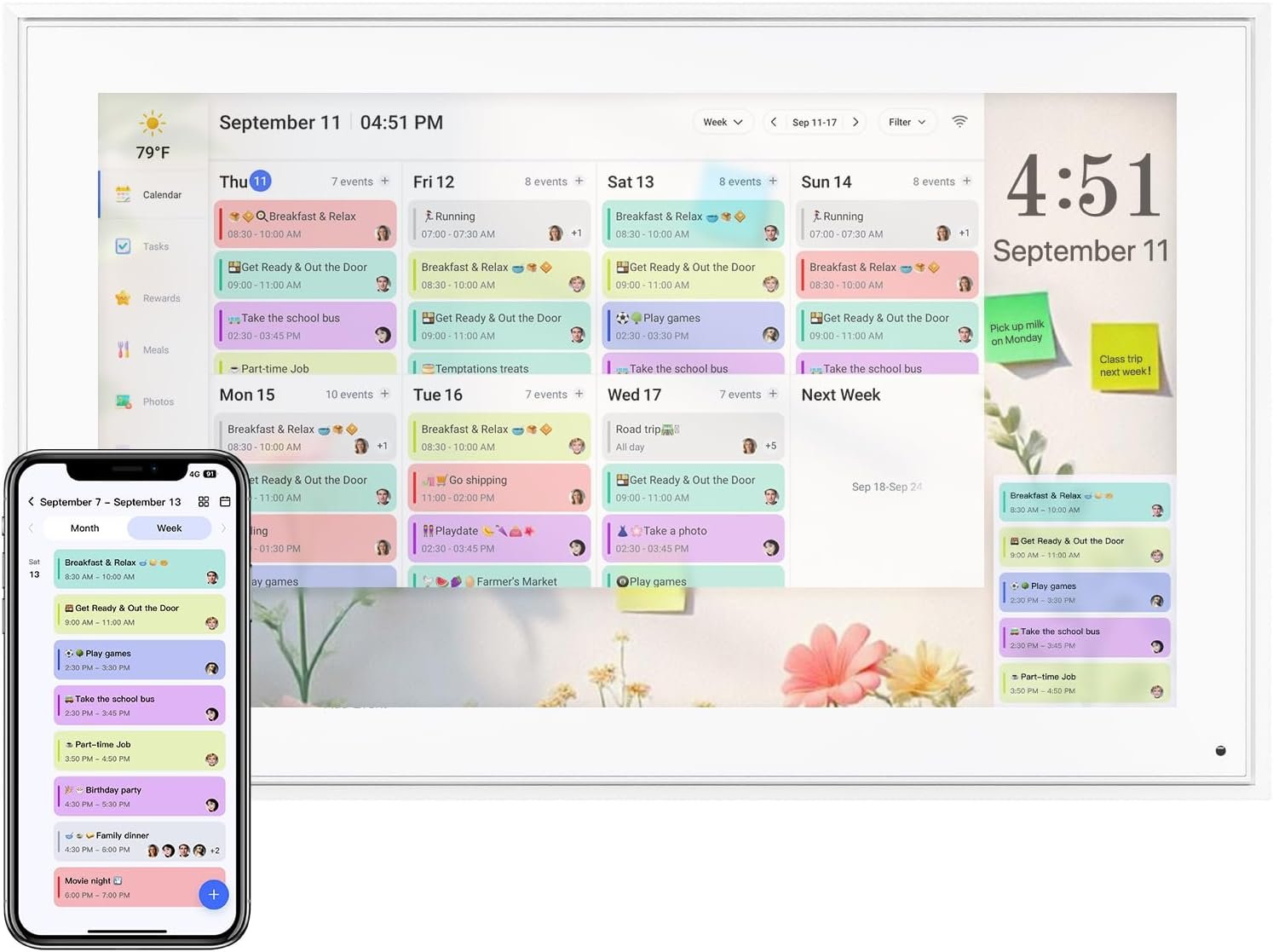
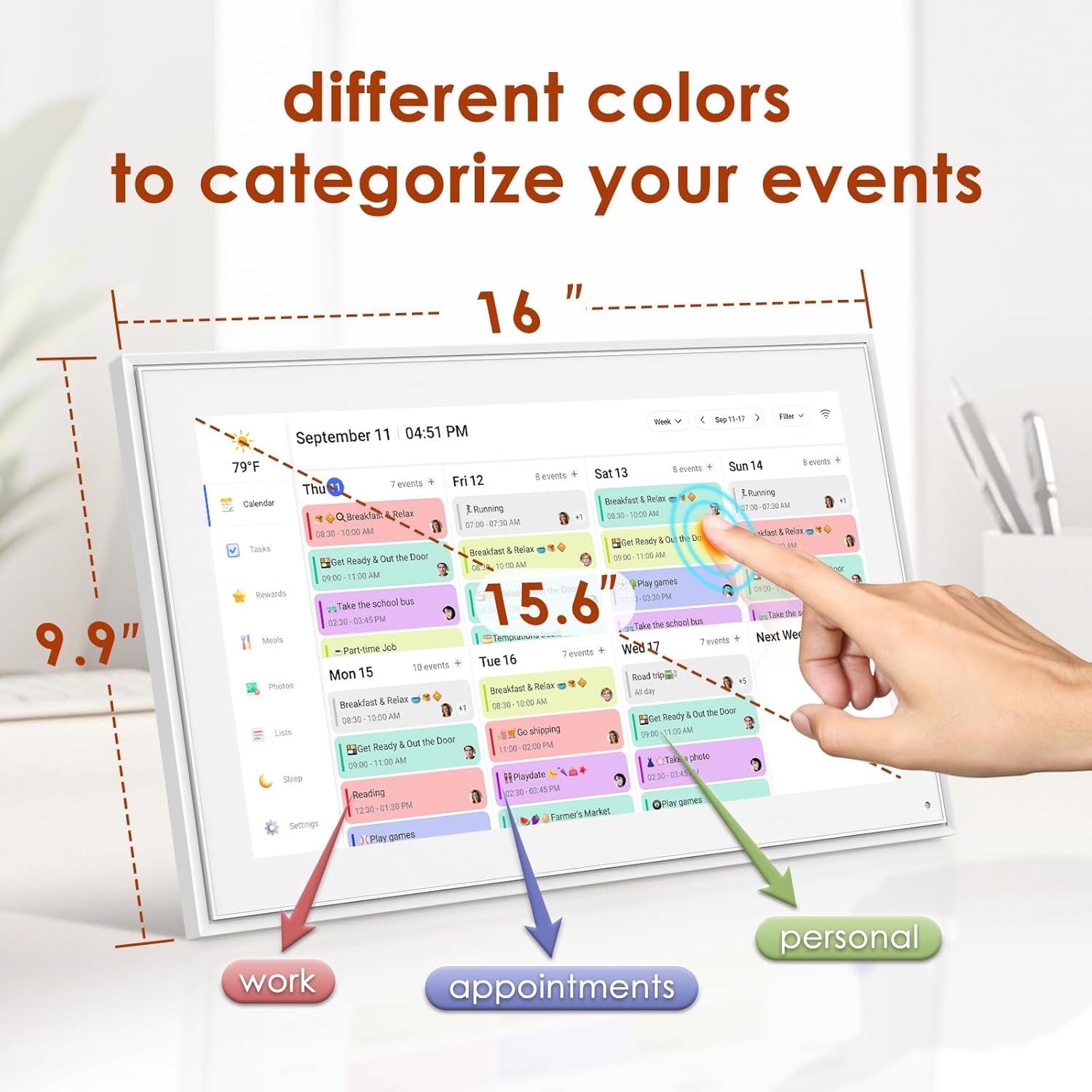
✍User-Friendly Interface: Our Digital Calendar boasts a clean and intuitive design, with 15.6″ FHD touchscreen. making it easy for anyone to navigate and use, managing your time has never been simpler. Use different colors to categorize your events (work, personal, appointments), so you can quickly identify what’s on your agenda at a glance. Installation method can choose wall mount or Standing on the table.
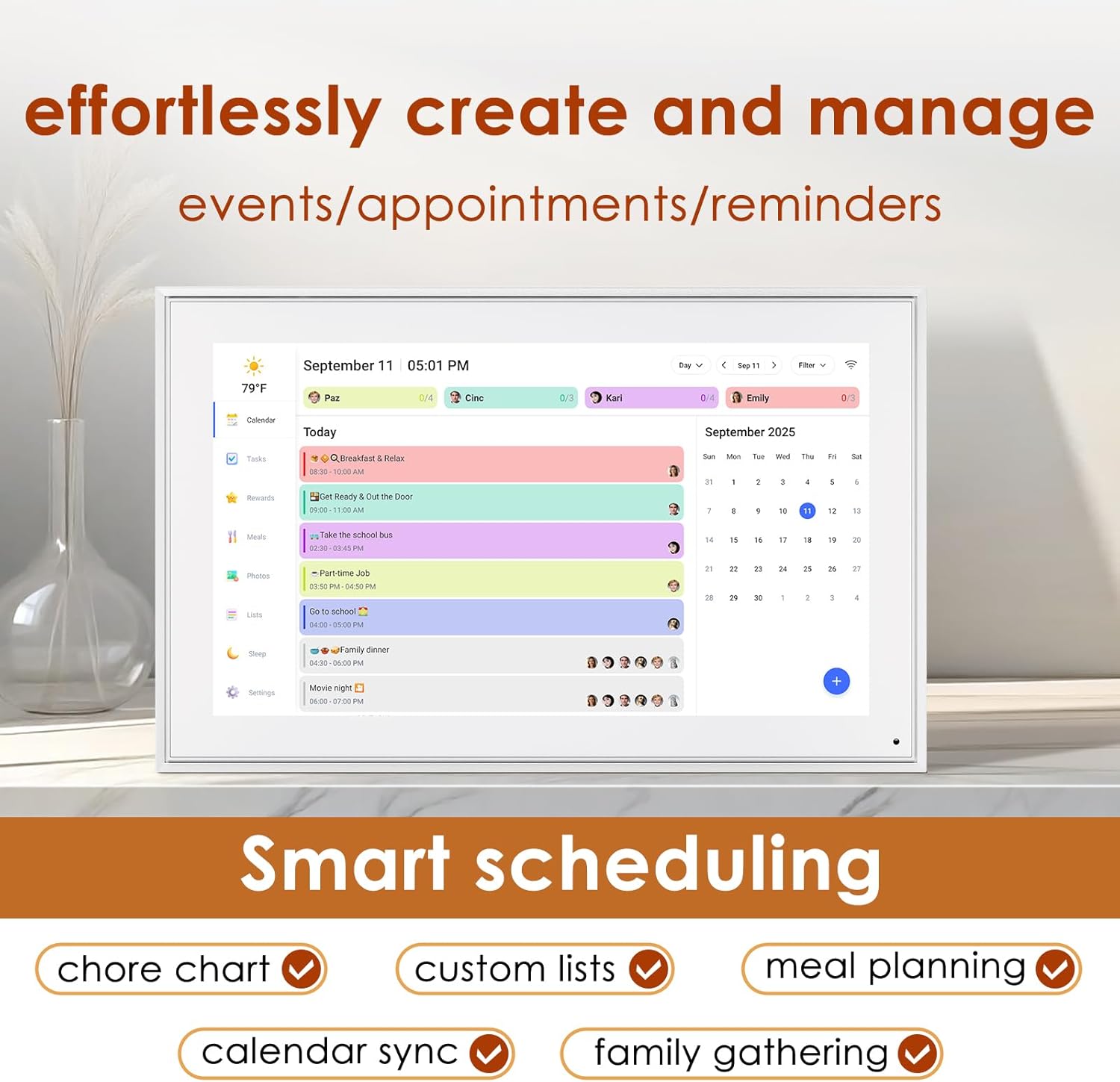
✍Smart Scheduling: Digital electronic calendar create, edit, and manage events with ease. Add details, set reminders, and even schedule recurring events to streamline your planning process.
✍Collaboration Real-Time: our smart calendar share your calendar with family, friends, or colleagues. Coordinate schedules effortlessly and ensure everyone is on the same page, making group planning a breeze.
✍Accessibility Cross-Device: Access your digital calendar anytime and anywhere, from multiple devices,be it your smartphone, tablet, or computer. With our cloud sync feature, your schedule is always up-to-date.
✍Integrated and Notifications: Electronic smart calendar never miss an important event again! Set personalized reminders that suit your preferences, ensuring you’re always prepared for what’s next. Keep track of your to-dos alongside your events. Our digital calendar helps you manage your tasks and commitments in one convenient place.




Zhi –
Great functionality and display for the organized soul
Large digital calendar + planner + more in one.Clear sharp screen readability. Vivid colors.Can color code to set up different family members events, chores and more.Also great for photo display.Minute lag on scrolling.Small design error for fitting in dc plug (need to jam in and only bottom) but it was a good thought to try to incorporate two options!Overall great functionality and worth the buy if you are someone who loves organization and an easy to use display!Clean visual design that would fit into any home or office!
Veronica –
Super helpful for our family!
We’ve only been using this digital calendar for a few weeks, but it’s already made a big difference in keeping our family organized. The Google Calendar sync works really smoothly — everything updates right away whether we add it on the device or from our phones. I also like that we can create tasks directly on the screen or through the companion app, which makes it easy to manage things even when we’re not at home.One of my favorite features is the rewards system. You can set up and redeem custom rewards, and my daughter absolutely loves it. It’s turned staying on top of chores into something she actually looks forward to!When it’s not showing our schedule, the calendar doubles as a digital photo frame, which is such a nice touch. We’ve loaded it with family pictures, and it really adds warmth to the kitchen.I also want to give the company credit for their great communication — they sent out a proactive email during a recent outage to explain what was happening and when it would be fixed. It was thoughtful and reassuring to see that kind of customer care.Overall, this calendar has been easy to use, family-friendly, and a nice blend of tech and home life. Definitely recommend it!
Jacob N. –
Fantastic so far!
My husband splurged on the bigger size for Mother’s Day, and the screen quality is excellent. The white frame is beautiful, the touch screen works well, the screensaver pictures look great. All the kids love seeing the pictures on screensaver and they were very easy to add.The app is intuitive and easy to use. After syncing my main Google calendar I thought I found a deal breaker when the entire calendar uploaded in one color even though different events were set as different colors in my Google calendar. BUT I found an easy solution within a few minutes to get it to work how I want. I already have a gmail account for each of my children, so I went into the Google Calendar app, and created a calendar under each of their accounts.If you want each person to have a different color and sync seamlessly from Google calendar here is what you need to do:1. (Create a gmail account) and then create a Google calendar for each person.2. Select the first person’s account in the upper right circle in Google calendar, then click the hamburger drop down on the upper left corner in the month view and go to settings. Select the default color you want.Create at least one event in each Google calendar for it to work properly.Repeat for each person, choosing the color you want for each.3. Go to the eCalendar app, and add all of those accounts in the sync section.4. Go to the profiles in the eCalendar app and click on each calendar to change the color to same color you selected in Google calendars.Et voila!Now each person will have separate colors for all of the events as long as when you add a new event it is added under the correct google account in Google Calendar (the circle at the top right of google calendar app).You will also want to create profiles in the eCalendar app for each person, with all of their same colors, for things like their tasks (chores). Ex: I have 12 profiles for 5 people (5 are the calendars, 5 are for tasks, and added US holidays calendar and was able to add a shared soccer team schedule.)It’s going to take me a little while to remember to make sure I am under each person‘s google account when I create a new event, but after I get used to that, it will be easy peasy. Then the calendars sync seamlessly with your digital calendar. Now when I add an event it pops up on my digital eCalendar in 3 seconds.Also, the older kids love the chore lists. Now I don’t even have to tell them what to do when they get home from school, and it’s easier and more fun for them to check this digital calendar and then check their chore done rather than having Mom “boss them around”. They respond to it much better. The chore list also helps me remember what I want them to do and be able to rotate through chores easily – I usually know what chores I need done at 10 AM and by the time they get home, I forget. It’s nice you can have chores repeat any number of days, weeks or months.I haven’t used the dinner planning function yet.Cons: app dependent.
Sundeep –
Great Organizer!
This digital calendar is really good! The display is bright, clear, and easy to read, and the touchscreen works smoothly. It’s perfect for keeping our family organized — everyone can see the schedule at a glance. Setup was simple, and the design looks modern and clean on the wall. Highly recommend it for anyone who wants an easy and smart way to manage daily tasks and events!
Prashi –
Love it — calendar + memories in one!
I didn’t expect to love this digital calendar as much as I do! It shows the date, time, and even weather — super helpful for keeping my day on track. But the best part is that it doubles as a picture frame.I loaded a bunch of family photos on it, and now I get to see them all day while staying organized. It feels like a little slideshow of happy memories right on my kitchen counter.Setup was really easy, and it synced with my phone calendar in no time. It’s also a great gift idea for parents or grandparents — simple to use, and they’ll love seeing pictures of the grandkids.Overall, it’s one of those things I didn’t know I needed but now can’t live without. Totally recommend!
ST –
A Must-Have for Busy Families!
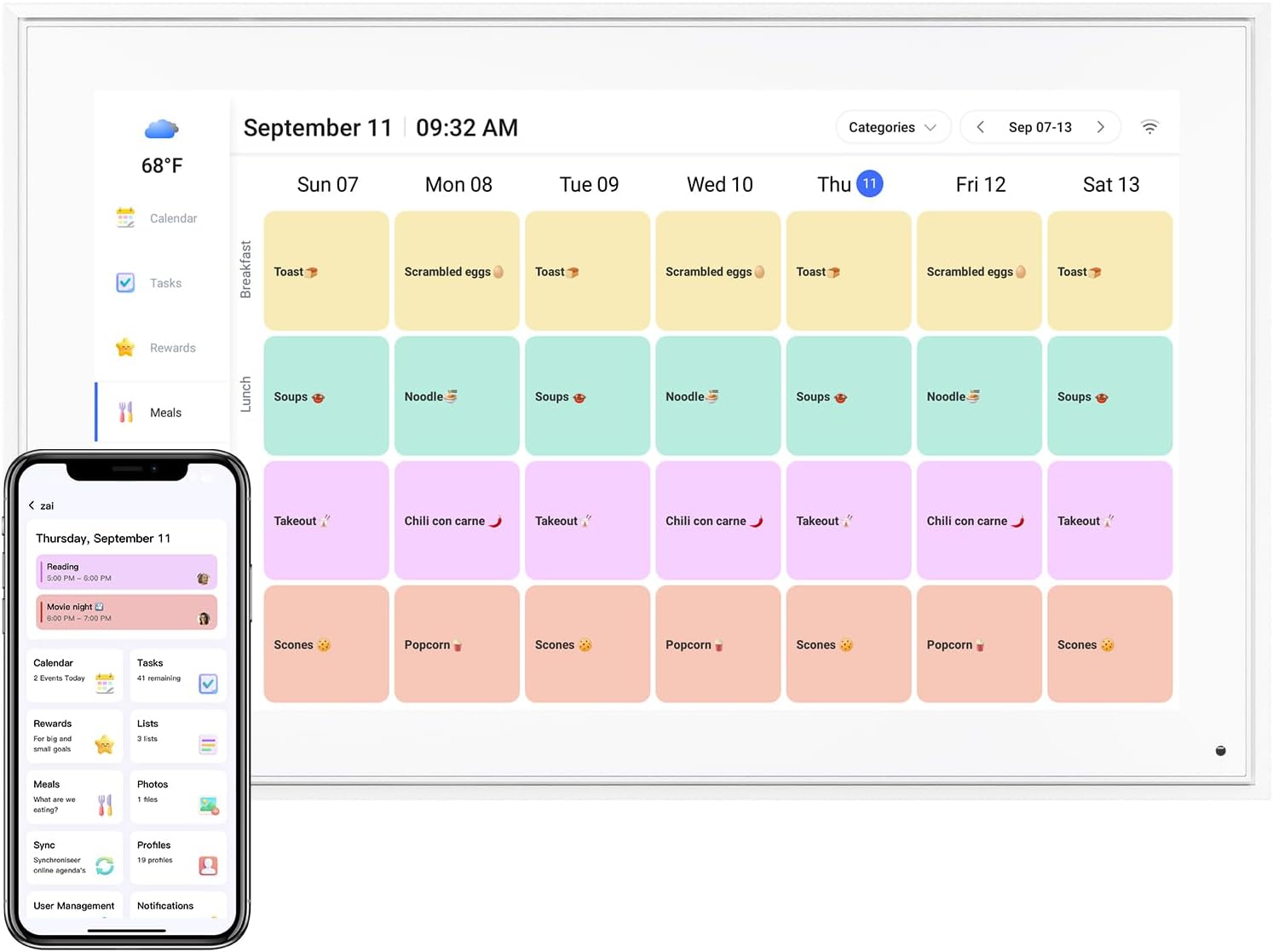
This digital calendar has been a total game changer for our home! Setup was a breeze — took less than 10 minutes and everything was up and running. I love how versatile it is, with multiple mounting options (portrait or landscape), and the included stand makes it extremely convenient to place on our kitchen island or office desk.The calendar syncs seamlessly with all our existing calendars, ensuring everyone stays on the same page. The chore feature has been a surprise hit — our kids actually look forward to adding their tasks and tracking their rewards. It’s been a great motivator!The built-in meal planning tool is another huge win — it keeps dinners organized and eliminates the daily “what’s for dinner” stress. And when it’s not in use, it doubles as a beautiful digital photo frame, which is a lovely bonus.Highly recommend this to any family looking to stay more organized and connected — worth every penny!
Dianne Casamayor –
Shipped me an item that has been previously returned or damaged! Touch screen does not work. DO NOT BUY