


From the brand


New Release
Ergear Standing Desk
ErGear Dual Monitor Mount
Ergear Single Monitor Mount
Ergear Multi Monitor Mount

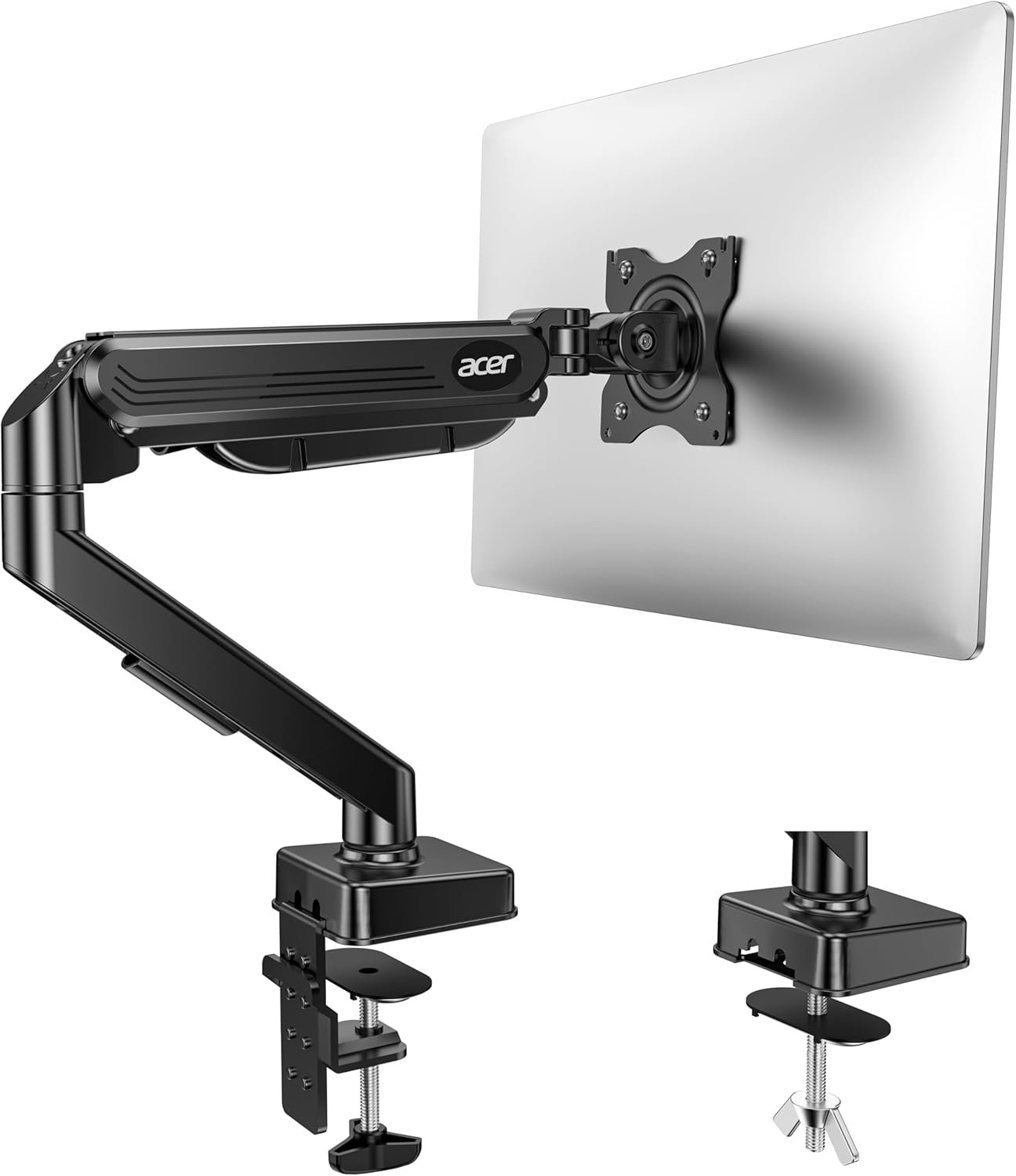
Engineered for 13″-34″ Screens:Crafted from aviation-grade aluminum alloy, this industrial-strength monitor arm effortlessly supports screens up to 34″ (22 lbs) — 3x stronger than standard arms, eliminating sagging and wobble. Compatible with both 75x75mm and 100x100mm VESA patterns, it’s the ultimate solution for curved/flat monitors, gaming setups, or ultrawide workstations.
Ergonomic Flexibility &Full Motion Adjustability:Glide your screen into the perfect position with -35°~90° tilt, 180° swivel, and 360° rotation. Whether drafting documents in portrait mode or immersing in cinematic landscapes, our gas-spring mechanism delivers fluid, one-finger adjustments to reduce neck strain and boost productivity.
Built to Last: The gas spring undergoes rigorous 20,000+ cycle endurance tests — equivalent to 10+ years of daily adjustments. Extend your screen up to 17.5″ vertically or 15.3″ horizontally for eye-level comfort.
Declutter Your Desk, Elevate Your Focus:Free up 80% more workspace vs. bulky monitor stands! Integrated cable clips tangle-free route wires, while the ultra-slim C-clamp/grommet base (fits desks up to 2.76″ thick) maximizes room for notebooks, tablets, or coffee breaks — perfect for minimalist offices or multi-screen workstation.
Easy to Assemble: Our monitor desk mount is easy to install thanks to the included instructions and standard hardware kit. With C-clamp mounting for desks 0.39″–2.76″ thick and grommet base mounting for desks 0.39″–2.17″ thick, you can choose the more appropriate installation method according to your desktop.


TheKaizenOne –
Needed another arm
Very sturdy arm with smooth adjustability. Great range of motion, easy installation, and excellent cable management. Helps clean up the desk instantly.
Nathan m –
Great monitor arms, good support, holds 20 lb monitors fairly easily
I purchased 2 initially for my wife and my matching gaming setup. the monitors we have are heavy duty 27″ 20.1 lb touch monitors. Mine has been working extremely well. My wife’s had a slight issue where even after tightening the bolt that allows the monitor to tilt up and down it would sag forward. we fixed this temporarily by just lowering the arm so that the monitor sat on the desk but the arm supported a majority of the weight. We worked with the seller and after sending images and videos to confirm the issue they sent a replacement that has worked great.The biggest thing about this is the weight that it holds. Most other pc arms hold up to 19lbs which was an issue due to the monitors being 20lbs so this was great to have something that was able to support the weight and look very nice while doing it. The arms move fairly freely which allows us to move the monitors around for standing or even to sit side by side.
John Lattanzi –
well made, and works as advertised
I upgraded to a dual monitor and the origina larger monitor did not have the necessary mounting points, so the single monitor arm was perfect. This arms exactly met my need. Easy to position but stable after positioning. I used the clamp mount and not the grommet mount as I did not want to drill into the desk. The directions also mentioned that if the desk is not strong enough to use a block of wood. The arm wase easy to assemble and I opted to disconnect the upper arm to mount it to the 27inch monitor and then attach the two arms together. The arms come with all the tools to put the arm together, and adjust the tension to raise and lower the monitor depending on the weight. I mounted the 27 monirtor in portrait mode and this bracket worked flawlesslyThe packing was protective and the instructions were easy to follow.I’m satisfied and would buy these arms again if I had to do this again.
chris –
Great monitor mount
Great item, easily install, and mount my 32” monitor, but you have to be careful, and remember to tighten the bolts .
Boat –
Solid Budget Arm – Great for Lighter Monitors, but Heavy Ultrawide Users Take Note
I used this arm with my LG UltraGear 34GS95QE-B.AUS (34” OLED ultrawide), and while the arm supports the weight just fine, the tilt adjustment is the weak point. I got it to stay level, but even a small downward tilt causes it to sag. Decided to grab a better arm for this monitor and save this one for my lighter 32” vertical display.Also, the included screws didn’t fit my monitor. It came with M4 x 12mm and M4 x 30mm, but I needed M4 x 25mm. I included pictures showing that the 30mm was too long. I picked up a pack of 2 at Home Depot for $3, so $6 total for the set.For anyone grommet mounting without a strong drill — I didn’t have one either. I punched a rough hole into my desk, then cleaned it up with a 7/16” drill bit, which worked perfectly. Not the cleanest job, but hey, all you need is a hole.Quick Tip: Unscrew the cable management cover first, route your cables, then reattach it. Once the arm is mounted, it’s hard to reach.For $20, this is a solid arm for smaller/lighter monitors. Just be cautious with heavy ultrawides or plan to keep the tilt locked flat.
Marco Polo –
Niceee
Bought as a gift for my nephew he absolutely loved it and it works great. They installed it with no problem. Huge space saver.
Clarisse M. –
Solid choice for budget monitor arm 32″ and under
This is my first monitor arm ever and have been using this for almost a year now.I was actually recommended this by a friend who said itd be great for my samsung 34″ monitor (it weighs about 10-11 lbs).I’d say its build quality is quite solid and sturdy, and I haven’t had any issues with its plastic parts. It has held up my monitor without it dropping which was great!But I will say I’m a bit disappointed with the lack of range of motion in terms of vertical adjustments. Trying to move this up or down, I haven’t gotten to really do because in order to also adjust it, the allen wrench screw is located in the most inaccessible way, in between a ‘joint’ area of the arm. I did try to adjust it 3x before, twice during the first time I set it up, and literally a month ago, but because it was difficult, I didn’t to risk anything since it was holding up the monitor well.Left to right adjustments are super good! Nothing to complain about there. But tilt is also quite limited, though I’m not sure if its because of the length of my monitor that makes this difficult, so my monitor is angled a bit down (towards facing my desk, I mean).All in all, great bang for your buck choice for up to 32″ montiors if you’re on a tight-ish budget. But if you have a bigger monitor, this would not be enough to hold it up.
Andres arcila –
Calidad y fortaleza de las piezas
Excelente producto
Forza Andrea –
Partiamo dal presupposto che ho un video wide screen da 34 pollici (un 27 pollici con le allette come dice qualcuno) ma di peso non elevato 5,6 kg e quindi la mia opinione è riferita a queste caratteristiche, io l’ho attaccato con il sistema vesa 100 ( ci sono 4 viti dietro al monitor, 100 corrisponde alla distanza delle viti che verranno avvitate dietro il monitor con un bel rinforzo di alluminio). MA è compatibile anche con l’attacco a 75. Tutte le viti e i rinforzi sono presenti nella scatola.Detto questo Il supporto è ben fatto plastiche e stampi non presentano imperfezioni. La morsa che permette di fissare il supporto al tavolo è facile da regolare (ho usato quella e non la possibilità di bloccare la base inserendola in un buco passacavi), robusta e irrigidita da un rinforzo in alluminio. la base stessa è dotata di piedini in plastica antiscivolo. Attenzione studiate bene dove mettere la morsa perchè avvolge una parte abbastanza grande e magari sotto il tavolo avete le gambe o supporti per cavi che potrebbero rendere difficoltoso l’inserimento della stessa. Risolto quindi il primo problema basta inserire i pezzi della “giraffa” uno sulla base e uno sulla sua estensione e il gioco è fatto. Su entrambi i pezzi si trova una vite che serve per regolare la rigidità della torsione nei movimenti. Basta con una chiave a brugola (inserita nel set) stringere per rendere la torsione (il movimento orrizontale) più difficile fino al blocco totale. Esistono anche altre due tipologie di regolazione. LA prima sistemata sul secondo pezzo del supporto monitor che è una sospensione per il carico. Serve a compensare il peso del monitor e permettere di regolare in altezza il monitor stesso permettendo di fermarlo nella posizione che volete senza che cada per l’effetto della gravità. Questa sospensione ha dei limiti di carico che sono evidenziati dalla descrizione del produttore. Più compressione metterete più compensazione al carico ci sarà un pò come una bilancia fino a farlo risalire alla massima altezza se la sospensione in compressione supera il peso del monitor, quindi come dicevo prima attenzione al peso se troppo pesante il monitor non rimarrà sollevato all’altezza che avete deciso e cadrà fino ad appoggirsi al tavolo troppo poco è il monitor andrà alla sua massima estensione in altezza. Il secondo invece presente alla fine del secondo pezzo del supporto Monitor a cui si attacca il video dopo averlo collegato con gli attacchi vesa di cui abbiamo parlato prima. Questo presenta una vite per la rigidità della torsinone del video stesso che ha libertà di monvimento sia in inclinazione che in rotazione fino a far girare il monitor da orrizzontale a verticale.Ora il giudizio. il supporto per il mio Monitor presenta un ok ma anche un ma. Per il peso che deve sostenere le regolazioni risultano essere precise ed è stabile, le combinazioni sono infinite. Il ma…? Presenta un problema quando viene regolato aumentando la distanza del braccio dalla morsa quindi avvicinandolo all vostra seduta per intenderci , quindi estendendo il braccio stesso. Amplifica il movimento che si provoca scrivendo/giocando provocato dalle vibrazioni trasmesse sul tavolo. Non grandi cose ma possono infastidire qualche giocatore che magari pesta sulla tastiera con più entusiasmo. Ho affermato ma perchè bisogna ricordare la larghezza del mio monitor (34 pollici) che amplifica le vibrazioni date dalle dimensioni e bisogna considerare il tipo di tavolo. Comunque questo non compromette il mio giudizio di pienamente soddisfatto. Comodita, qualità dei componenti, e facilità di montaggio, e perchè no prezzo. Bravi
Magichouse32 –
Muy fácil de montar y usar.Genial para liberar espacio en el escritorio.Y me salió a buenísimo precio.
Monkey –
Très bon bras , il supporte depuis un moment mon écran 34 pouces en ultra wide et tout est parfait.Montage très simple
Qasim Alarab –
Really good stand arm. Very high quality and easy installation
BrindleDog –
Versatile, sturdy, and surprisingly affordable—this ErGear arm transformed my cluttered desk into an ergonomic workspace in under 10 minutes.The package arrives with everything you need: a robust steel arm, desk-clamp and grommet mounting options, all necessary tools, and a clear instruction manual. The clamp grips securely on surfaces from 10 to 32 mm thick with zero wobble, and the grommet mount feels rock-solid once tightened.Once installed, the gas-spring mechanism holds my 27″, 7.5 kg monitor perfectly level. Adjusting height, tilt (–50° to +85°), swivel (360°), and rotation (180°) is smooth and nearly tool-free. Built-in cable clips keep cords neatly tucked along the arm, so there’s no dangling mess.ProsSolid steel construction feels durable and premiumGas-spring arm offers smooth, tool-free height and tilt adjustmentsIntegrated cable management keeps desk tidySupports VESA 75×75 and 100×100 mm mountsIncludes both clamp and grommet mounting hardwareConsInstruction sheet could be clearer on cable-routing stepsRated weight max (9 kg) may be tight for heavier ultrawide panelsOverall, the ErGear single monitor arm is a high-value pick for anyone looking to reclaim desk space and boost comfort without breaking the bank.