


From the brand


All-in-One Family Calendar

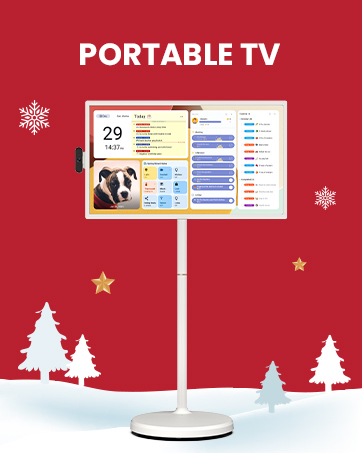
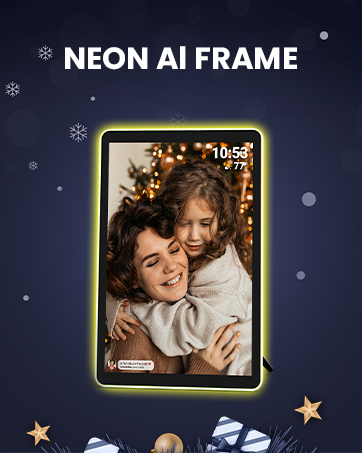

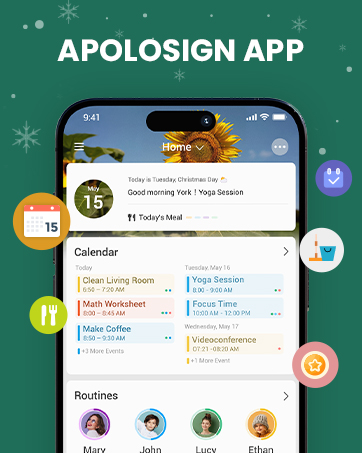

First Dual-Mode Digital Calendar — In Calendar Mode, apolosign calendar stay focused with Auto Sync Calendar across Google, Outlook, iCloud & more. Planner and Family Organizer keep schedules in one place. Switch to Android Mode to create a Dashboard and smart family hub.
Rewards-First Chore Chart & Routine Planner — Turn chores into fun! This electronic calendar allows kids to earn rewards for completing daily tasks, helping them build good habits while parents stay organized. Create color-coded To-Do lists for groceries, shopping, or wish lists via the ApoloSign Calendar Mobile App (Currently supported in the U.S. only).
Experience AI Voice Assistant & Smart Home Control — The Apolosign Smart Calendar lets you set alarms, check the weather, or manage tasks by simply talking to your calendar using four built-in microphones. Now preloaded with Google Gemini AI voice assistant, seamlessly connect with Google Home to monitor and control your smart home — doorbells, cameras, and more, all on one screen.
Smart Photo Frame & Live Screensaver — The 21.5″ HD touchscreen eCalendar displays memories from Google Photos and more, seamlessly, no subscription required. Personalize with videos, schedules, clocks, or a mix. Anti-glare matte glass reduces eye strain in bright rooms. Auto Brightness adapts, Sleep Mode saves energy. Beautiful faux wood frame for wall use.
Customize Your Widget Dashboard — Smarter eCalendar: Add and arrange the widgets you need — calendar, chores, meals, weather, doorbell, music controls, stocks, and more. Supports multi-page widget layouts, so you can view more at a glance. Customize your dashboards for a smart family hub. Whether syncing calendars or troubleshooting, our expert support team is available around the clock to assist you.


Silverwing –
Incredible digital calendar!!
After researching many digital calendars, I decided on the Apolosign 21.5 model, due to the great reviews, lowest price for full feature calendar and “NO” subscription needed which was a huge plus! It was easy to set up and everything from my google calendar on my phone synced to the calendar within seconds. I love it. You can customize everything and we currently have two users, using two different calenders (Outlook & Google) & both merged seamlessly to the Apolosign. Highly recommend, plus it’s a beautiful hanging display using your own photos or their included wallpaper.
EOconor –
Great family management system!
This family management system is wonderful! It looks beautiful and I love the teak frame. The calendar is great as we are a family of six so it’s color coded and so helpful. Very easy to use the app and screen to add/ remove whatever. My kids love doing chores and checking off. Only thing I wish it had was a meal plan tab to have meals organized.
Nuray sarp –
The Perfect Family Organizer!
I absolutely love this digital calendar! The large, clear display and sleek wooden frame look beautiful in my home. It keeps our entire family organized — from school schedules to appointments and chores. Setup was super easy, and syncing with Google Calendar works perfectly. It’s practical, elegant, and makes daily planning effortless. Highly recommend it to every busy family!
MelissaL –
Apolosign Calendar.
I love it. It helps me to stay a lot more organized with remembering when my bills are due (notification reminders). Nice size screen, nice and sturdy. Great visually. I love that I am able to color code one color for my bills, another color for personal life reminders and another color for work related reminders.I love that it can switch between calendar mode and android tablet mode.
Chris White –
Best Digital Calendar Option Out There
If you are looking for a digital calendar, choose this one. I was evaluating this calendar as well as the other two options out there. The Apolo calendar not only looks good with its wood frame, but it isn’t just a calendar. It’s a calendar with all the functionality that you would have in a tablet. I ultimately purchased because I could scroll the web on it, or even put it on a wall mount and use it as a streaming device in my kitchen. The large size (21”) is the perfect size and is almost half the price of the other options out there for the same size. The calendar can be put in sleep mode for night time, and the Home Screen can be modified to show many customizable things like the time/date, local weather, to do list, and today’s news. Don’t hesitate on this one, it’s amazing and so easy to use
Ikbal a Jumani –
Love this colander I returned one and glad I did and got Apolosign
The Apolosign electronic wall calendar has proven to be an excellent addition to my home office. Here are some standout features that I believe make it a great choice:1. **Ease of Use**: Setting up the calendar was a breeze. The intuitive interface allows for quick navigation and scheduling of events. I appreciate how user-friendly it is, making it accessible for everyone in the family.2. **Brilliance of Screen Image**: The screen clarity is impressive. The vibrant colors and sharp images make it easy to read from a distance, ensuring that I can see my schedule clearly without straining my eyes.3. **Mobile Apps Sync**: The ability to sync with mobile apps is a fantastic feature. I can add and modify events on the go, and the changes reflect instantly on the wall calendar. This seamless integration keeps my schedule up to date no matter where I am.4. **Color Coordinated Events**: I love the color coordination for different types of events. It makes it visually appealing and helps me quickly identify priorities at a glance. This feature adds a layer of organization that I find incredibly helpful.Overall, I would highly recommend the Apolosign electronic wall calendar to anyone looking to enhance their organizational skills. Its combination of functionality, clarity, and ease of use makes it a worthwhile investment.
Michelle Diggs –
ApoloSign
Install and start up was very easy and seamless. Looks great on my wall. I would have preferred not having to download another app to operate the calendar. I was hoping I could just interface directly through Google. I am looking forward to getting rid of my dry erase calendar..yay
RoxyBo –
The perfect electronic calendar!!
I did a lot of online research for an electronic calendar and ultimately decided on this one. I love that you don’t have to pay a subscription for access to it and the size is great. The 21.5 inch is perfect for our family of five. I love that you can use it in the Android mode and it’s kind of like a giant cell phone screen. You can download all the apps you want from the app store. I set my calendar to be the default screensaver so it always shows unless I want to use a different app. So far this thing is literally perfect! Highly recommend!! Easy to setup and my Google calendar syncs to it super fast.